Kindle to Kobo: 15 Things to Know Before You Switch
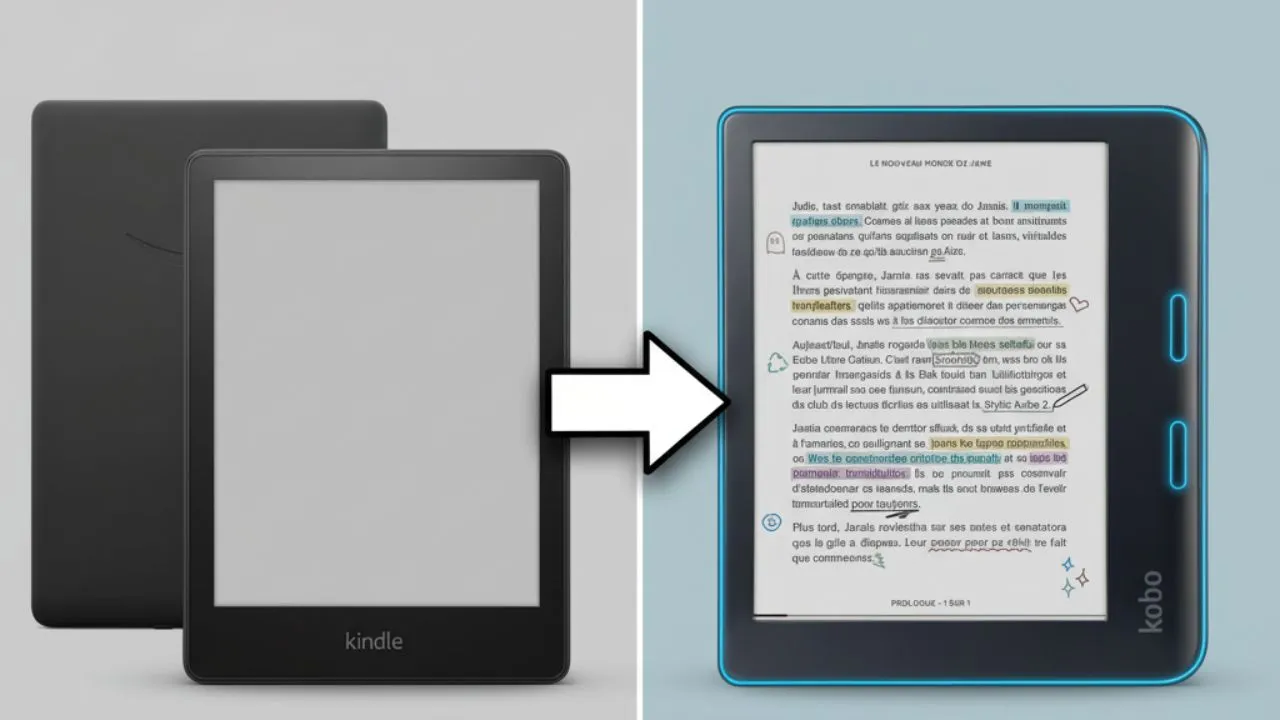
Making the Kindle to Kobo transition has become increasingly popular as readers seek alternatives to Amazon’s e-reader ecosystem. Kindle’s download policies and concerns about digital ownership have prompted many book lovers to explore Kobo devices. Before you make this switch, you need to understand what changes, what stays the same, and what challenges you might face.
Let’s break down 15 essential things you need to know before making the switch from Kindle to Kobo.
Kindle vs. Kobo At A Glance
| Feature | Kindle | Kobo | Winner |
|---|---|---|---|
| Library Integration | Limited, works best in US only | Connect directly Libby/OverDrive | Kobo |
| Physical Controls | Touch-only (Oasis discontinued) | Page-turn buttons on Libra series | Kobo |
| Store Experience | Heavy merchandising on home screen | Clean, reader-focused interface | Kobo |
| Reading Statistics | Limited | Detailed stats directly on device | Kobo |
| Book Transfer | Restricted since Feb 2025 | Straightforward USB drag-and-drop | Kobo |
| Book Selection | Broader range + Kindle Unlimited exclusives | Focus on traditional publishers | Kindle |
| Device Cost | Generally higher priced | Often less expensive | Kobo |
| Battery Life | 3+ weeks (Paperwhite) | 2-3 weeks standard, 1-2 weeks color | Kindle |
| Audiobooks | Seamless Audible integration | Limited support, complex sideloading | Kindle |
| Goodreads Integration | Full integration (Amazon owns it) | No integration available | Kindle |
| Cloud & Syncing | Excellent Whispersync + Send to Kindle | Good for store books, weaker for sideloaded | Kindle |
| Subscription Service | Kindle Unlimited – larger library | Kobo Plus – includes major publishers | Tie |
| Email-to-Device | Full Send to Kindle service | Not available – requires USB | Kindle |
Free Library Books: Kobo’s Biggest Win
One of the most substantial advantages of any Kindle to Kobo switch involves library integration.
Kobo devices connect directly with OverDrive and Libby services, allowing you to borrow library books without leaving your e-reader. This integration works particularly well outside the United States.
You can browse your local library’s digital catalog, place holds on popular titles, and download available books directly to your device. The system even shows wait times for books on hold and manages your lending periods automatically. Link your library card to your Kobo account during setup, and you’ll have access to thousands of free books. For heavy library users, this feature alone might justify the switch.
In contrast, Kindle’s library integration is limited and primarily works well in the United States.
Why Physical Buttons Beat Touchscreens
The most immediate difference you’ll notice in your Kindle to Kobo switch involves physical navigation. Most current Kobo models, particularly the Libra series, feature dedicated page-turn buttons.
These buttons transform the reading experience. Instead of tapping the screen or making awkward thumb movements, you can rest your finger comfortably on the button and click through pages naturally. The ergonomic advantage becomes especially apparent during long reading sessions.
On the other hand, Amazon discontinued its button-equipped Kindle Oasis, which looked identical to the Libra Colour, leaving its more recent e-readers as touch-only devices. This design choice by Amazon has led many users who prefer physical buttons to look for alternatives like Kobo. Some users, however, find screen taps more convenient than buttons.
A Cleaner, Less Pushy Store
Kobo’s store interface is designed to be less intrusive compared to Kindle’s. On a Kindle, the home screen frequently pushes new book recommendations and sales, often prioritizing purchasing over your existing library.
Kobo’s home screen, however, dedicates more space to books you are currently reading, library holds, and books you already possess, with new purchase recommendations confined to a specific store tab. This design philosophy makes for a more reader-focused experience, rewarding you for finishing books you already have.
This difference matters more than you might expect. On Kindle, you feel constantly pressured to buy more books. Kobo’s approach feels more respectful of your reading time and budget.
Track Your Reading Like a Pro
Kobo devices excel at reading analytics, offering detailed statistics that most Kindle models lack.
These statistics include time spent reading each book, average reading speed, pages read per session, and completion percentages for your entire library. The data appears directly on your device, helping you understand and improve your reading habits.
While Kindle offers similar reading stats, they are typically available only through the Kindle app on other devices, not directly on the e-reader itself. This feature on Kobo can be motivational, particularly for those who enjoy tracking their progress.
Adding Your Own Books Made Easy
Kobo devices support a wider range of file formats, including EPUB, PDF, CBZ, and CBR, making it more versatile for books obtained from various sources. Sideloading on Kobo is remarkably straightforward. Simply connect via USB and drag files directly to your device, or use Calibre for better library management and format conversion to KEPUB for enhanced reading features.
In contrast, Kindle has become more restrictive with sideloading. While modern Kindles now support EPUB (a major improvement since 2022), the process has changed significantly. For 2024 Kindle models, USB file transfer still works, but requires additional steps. Windows users can still drag files via File Explorer, while Mac users need software like Android File Transfer or OpenMTP.
Alternatively, you can use Amazon’s Send to Kindle service via email, web interface, or desktop app, which supports a variety of file formats, including PDF, DOC, DOCX, EPUB, TXT, RTF, HTML, and images. Note that Kindle no longer supports MOBI for new content, requiring conversion of older MOBI files.
Which Device Has More Books?
While both platforms offer vast libraries, their book selections have distinct characteristics.
Kindle generally boasts a broader range of books, especially in the self-published sector and titles exclusive to Kindle Unlimited. Authors who sign up for Kindle Unlimited often agree to exclusivity clauses, preventing their books from appearing on other platforms.
Kobo’s bookstore focuses more on traditional publishers and established authors. You’ll find most major releases and popular titles, but niche genres or specific indie authors might not be available. Books exclusive to Kindle Unlimited also won’t appear in Kobo’s catalog. However, Kobo Plus, Kobo’s subscription service, often features a different selection, including many older titles from established publishing houses that might not be available on Kindle Unlimited.
Book Ownership: What You Actually Get
Your Kindle to Kobo move doesn’t entirely solve digital rights management concerns. The key difference lies in accessibility. Both platforms use DRM protection, but Kobo’s approach tends to be less restrictive.
According to Amazon’s policy, you do not truly “own” Kindle books; you merely license them. This allows Amazon to edit content, or even remove books you have purchased from your device. From February 26, 2025, you can no longer download Kindle books directly to a computer for backup. Readers who’ve invested thousands of dollars in digital books feel trapped in Amazon’s ecosystem. If Amazon suspends your account or removes a book from its catalogue, your investment disappears. It’s a bummer for those who want to maintain their digital library independently.
Kobo also employs Digital Rights Management (DRM) on books purchased from its store. However, Kobo is more open and flexible, particularly in terms of support for EPUB files. You can still download book files from Kobo’s store, though the process often involves using a separate application like Adobe Digital Editions to handle the license file.
In short, a Kindle to Kobo switch improves format freedom, but it does not convert licenses into full ownership.
Price Comparison: Device vs. Books
Kobo devices often cost less than comparable Kindles, but book prices and subscription services vary between ecosystems.
Kobo Plus, Kobo’s subscription service equivalent to Kindle Unlimited, offers fewer titles but sometimes includes books from major publishers that Amazon’s service excludes. Individual book prices are generally comparable between platforms.
Library integration through Kobo can significantly reduce book purchasing costs, potentially offsetting any price differences in the devices themselves. Calculate your typical book expenses to determine long-term value.
Battery Reality Check: What to Expect
Kobo devices often have a shorter battery life compared to Kindles, especially models with color screens or those used frequently with Wi-Fi. For example, a Kindle Paperwhite might last over three weeks on a single charge, while Standard Kobo models might last 2-3 weeks with moderate use, and the color versions often need charging every 1-2 weeks. However, Kobo battery life improves after an initial “settling” period.
The shorter battery life remains manageable for most users. Kobo devices generally charge quickly, and two weeks still covers plenty of reading time. If you read nightly and charge weekly, you won’t notice the difference.
Keep your expectations realistic, though. If you’re used to Kindle’s exceptional battery life, Kobo will require more frequent charging. Heavy users might need to charge twice per week instead of once.
Audiobooks: Where Kobo Falls Short
A Kindle to Kobo plan can stall on audio. While Kobo devices technically support audiobook playback, primarily those purchased directly from the Kobo store, the functionality remains limited compared to Kindle’s Audible integration.
Sideloading audiobooks not from the Kobo store, especially those that are DRM-locked from platforms like Audible (owned by Amazon), can be complicated or impossible. You need to convert files to MP3 and then use specific methods, such as zip-locking folders, to get them to play. It requires technical expertise, and the file conversion success rate can vary.
Kindle, however, particularly in the US, offers seamless integration with Audible, Amazon’s audiobook platform. The seamless connection between Audible and Kindle devices, plus features like Whispersync that synchronizes your reading position between text and audio, gives Amazon a clear advantage here.
If audiobooks are a significant part of your reading habit, Kindle’s integration with Audible might be a more convenient option unless you source audiobooks from other platforms.
Say Goodbye to Goodreads
Kobo does not have direct integration with Goodreads, the social cataloging website for books. Amazon owns Goodreads, so its integration is exclusive to Kindle devices. This means you cannot mark books as “currently reading,” track your progress, or share highlights directly from your Kobo to Goodreads.
For readers who rely on Goodreads for social reading, book discovery, and tracking their literary journey, this absence on Kobo might be a noticeable change.
Syncing Problems You Need to Know
Kobo lacks some convenient cloud features that Kindle users take for granted. Kindle’s Whispersync technology seamlessly synchronizes reading progress across devices, while Kobo’s equivalent service has limitations.
Kobo’s syncing works well for books purchased from their store, but struggles with content side-loaded from other sources. Cross-device reading progress synchronization isn’t as reliable, and the cloud backup system doesn’t match Amazon’s robust infrastructure.
Email-to-device book delivery also doesn’t exist on Kobo either. Kindle users can email books to their device address for automatic delivery. Kobo users must connect their device to a computer for transfers.
If seamless cross‑device reading and frictionless sending matter most, a Kindle may still serve better.
Moving Your Kindle Library (It’s Tricky)
The process of transferring books from Kindle to Kobo has become more complex since Amazon removed the “Download & Transfer via USB” option on February 26, 2025. This change eliminates the official way to download book files from the web portal to a computer for manual sideloading.
However, it’s still possible, but the workflow has changed. There are two definitive ways to accomplish this now. 1) Extract books from an older e‑ink Kindle via USB; or 2) use an older Kindle for PC/Mac version that saves local files, then process in Calibre. Both routes typically require Calibre plugins to handle DRM and formats.
Removing DRM means violating Amazon’s terms; proceed with awareness of legal risk and local law.
The Learning Curve: What to Expect
Every Kindle to Kobo transition involves an adjustment period as you learn new interfaces and workflows. Kobo’s software operates differently from Kindle’s system. Menu structures, settings locations, and basic operations differ between platforms. Most people will adapt within a week, but the initial learning curve can be frustrating for readers accustomed to Kindle’s interface. However, the adjustment period is temporary, and the transition can be rewarding for those seeking Kobo’s specific advantages.
The Rakuten Reality Check
Kobo belongs to Rakuten, a large Japanese firm with its own controversies. It’s not an indie alternative to Amazon. Both prioritize profits, so expect similar corporate behaviors. Focus on features over ethics.
Final take
Switching from Kindle to Kobo involves real trade-offs. You’ll gain some features while losing others. The decision comes down to which ecosystem better matches your reading habits and values.
Remember that both platforms want to keep you reading within their ecosystem. The real winner is the device that gets out of your way and lets you focus on the books themselves.
Recommended Reading
27 Best Kobo Tips & Tricks to Transform Your Reading Experience
Unlock your Kobo device’s full potential with expert optimization techniques that go far beyond basic functionality. These proven strategies help new Kobo users maximize battery life, customize reading settings, enhance library organization, and discover hidden features that create a superior reading experience compared to your previous Kindle setup.